









Anonymous visitors can generate three times per UTC month. Registered free users receive three generations per UTC day. Free generations accept up to 500 characters; paid plans accept up to 5,000 characters per generation.
Celebrity
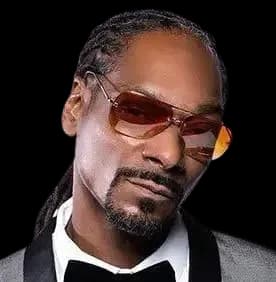
Snoop DoggText to Speech
Turn your text into a Snoop Dogg-style AI voice for a relaxed intro, gaming clip, or greeting. Listen to the preview, then open the studio with the voice selected and generate your own script. Free use has limits; generated MP3 downloads require a paid plan.
Listen to the preview free. Downloading generated audio requires a paid plan. View plans
How to turn your text into AI speech
Open the existing text-to-speech studio to generate your own script. Listen to the generated result before deciding whether to revise or download it.
- 1
Open the studio and confirm the voice
Use the generation link or an original script example. Confirm that the requested voice is selected; if it is unavailable, choose another voice explicitly or return later.
- 2
Edit your text and supported settings
Write or revise your script, choose an available model, and adjust the supported voice settings. Free generations accept up to 500 characters; paid plans accept up to 5,000.
- 3
Generate, listen, and choose whether to download
Generate speech and listen to the result. Processing time and delivery can vary. Online generation follows your free quota; downloading generated MP3 audio requires a paid plan.
Hear the Snoop Dogg AI Voice
This prerecorded voice preview is a reference for the delivery. It is not a recording of the example scripts on this page or a guarantee that a new generation will sound identical. Open an example in the studio to generate and listen to that text.
Try Snoop Dogg text to speech with an original script
Choose a short-video intro, game line, or greeting to open the studio with Snoop Dogg selected and the text filled in. These are original writing examples, not real quotes or transcripts of the preview.
Relaxed channel intro
“Settle in. Today we are turning one small idea into something worth watching. No rush. Let's get into it.”
Use ExampleGaming reaction
“The plan was simple. Walk through the door, grab the treasure, and leave. The dragon had a different plan.”
Use ExampleBirthday greeting
“Happy birthday, Alex. Good people, good food, and a whole evening with nowhere else to be. Enjoy your day.”
Use ExampleVideo Support
Video Templates
Select voices like Trump also support AI video generation with lip-sync.
Try Other Celebrity Voices
Snoop Dogg text to speech turns your own written lines into a laid-back AI-style voiceover. Start with a short original script, compare the prerecorded preview, then generate your text in the studio. Review the result before using it in an intro, greeting, or gaming edit.
What Makes Snoop's Voice One of a Kind
Snoop's delivery is known for a slow, melodic drawl. Words stretch and flow together, with a relaxed rhythm that can suit spoken intros and character-style narration.
Try short, conversational sentences and listen to the generated result. Punctuation, speed, and the wording of a line can change its delivery; the reference preview does not guarantee an identical impression for every script.
How to generate Snoop Dogg text to speech
Use the generation link or an example script to open the existing text-to-speech studio:
- Confirm that Snoop Dogg is the selected voice. If it is unavailable, choose another voice explicitly or return later.
- Paste your own text, or edit the original example carried into the studio. Free generations accept up to 500 characters.
- Choose the available model and adjust supported voice settings, then generate and listen. Processing time and delivery can vary.
- Use punctuation and speed adjustments to compare the pacing of the same short line.
- Anonymous visitors receive three generations per UTC month; registered free users receive three per UTC day. Generated MP3 downloads require a paid plan.
What Creators Make with the Snoop Voice
Use a short original script to explore one of these formats:
- Channel intros and outros: write a relaxed welcome or a clear closing line.
- Reaction memes: keep the setup short so the pause before the punchline is easy to edit.
- Gaming narration: describe the scene in your own words and compare the timing against your footage.
- Greetings: personalize a short message without presenting it as a real recording or endorsement.
Writing Tips: Keep It in the Pocket
The voice rewards scripts that flow:
- Write with rhythm — read your script aloud and smooth out anything you stumble on.
- Keep it conversational and unhurried; urgency fights the drawl.
- Sprinkle signature flavor sparingly — one well-placed "fo shizzle" beats five.
- Let sentences trail with attitude instead of ending abruptly.
Parody Use and Keeping It Clean
The Snoop Dogg-style AI voice is an impression, not an official recording or an endorsement. Do not present generated speech or vocals as authentic statements or performances by Snoop Dogg.
A paid audio download does not grant personality, music, or endorsement rights. Check the permissions required for your intended use and label synthetic audio appropriately. Parody and fan content are not automatically permitted in every context.
Snoop Dogg text to speech for your own words
Use an original script for a laid-back voiceover, check the selected voice in the studio, and listen to the generated result before editing your clip. The free quota covers online generation and listening; a paid plan is required to download generated MP3 audio.
Voice Technology FAQ
You can generate and listen online within your free quota. Downloading generated audio as an MP3 requires a paid plan.
Choose an original script on this page to open the studio with the text filled in. Confirm that Snoop Dogg is selected, generate speech, and listen before revising punctuation or speed. If the requested voice is unavailable, choose another voice explicitly or return later.
No. A paid plan provides the product features described on the pricing page; it does not grant third-party personality, character, music, or endorsement rights. This is an AI-style impression, not an official recording or endorsement. Check the permissions needed for your intended use and identify synthetic audio where required.
Ready to create with Snoop Dogg?
Generate My Audio NowListen to the preview free. Downloading generated audio requires a paid plan.