










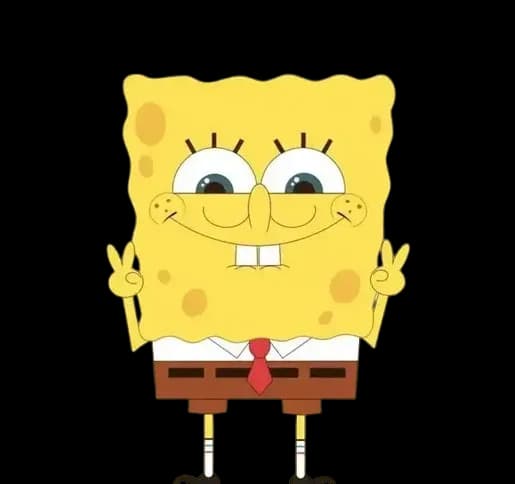
저희 모델은 스폰지밥 특유의 높고 발랄하며 열정 넘치는 말투를 재현합니다.
캐릭터
SpongeBobAI 보이스
SpongeBob SquarePants 음성을 생성합니다. 높고 흥겹고 열정적인 목소리.
샘플은 무료로 들을 수 있습니다. 생성한 오디오를 다운로드하려면 유료 요금제가 필요합니다. 요금제 보기
무료 AI 텍스트 음성 변환 오디오를 생성하는 3가지 간단한 단계
다운로드나 복잡한 설정이 없습니다. 우리의 플랫폼에서 즉시 맞춤형 음성 오디오를 만들려면 간단한 단계를 따르십시오.
- 1
텍스트 붙여넣기 및 이상적인 목소리 선택
스크립트를 입력창에 붙여넣고, 다양한 음성 옵션 중 프로젝트에 맞는 톤과 언어를 선택하세요.
- 2
음성 설정 및 미리보기 조정
한 번의 클릭으로 속도와 톤을 맞춤 설정하세요. 실시간으로 오디오를 미리 보고 음성 효과가 요구 사항에 맞는지 확인하세요.
- 3
몇 초 만에 생성하고 미리 듣기
즉시 생성을 시작하고 몇 초 만에 오디오를 얻을 수 있습니다. 온라인에서 무료로 미리 듣고, 유료 플랜으로 최종 MP3를 내보내 모든 플랫폼에서 사용하세요.
SpongeBob 예시 문장 사용해 보기
문장을 누르면 생성기에서 열립니다. 수정한 뒤 바로 생성하세요.
SpongeBob AI 음성 들어보기
직접 생성하기 전에 샘플을 재생하여 SpongeBob AI 음성을 확인하세요. 이 샘플은 무료 생성기와 동일한 모델로 제작되었습니다.
다른 유명인의 목소리를 들어보세요
Turn your own text into SpongeBob-style speech for a birthday greeting, gaming clip, or fan skit. Listen to the voice sample, then open the studio with SpongeBob selected to generate and preview your script. Free generation is limited; downloading generated audio requires a paid plan.
What Makes SpongeBob's Voice Instantly Recognizable
SpongeBob's voice sits in a register almost no other character occupies: a high-pitched, nasal tenor that cracks upward when excited — which is most of the time. The delivery is relentlessly optimistic, with squeaky emphasis on random syllables, giggles bubbling between phrases, and an earnestness that makes even mundane lines ("I'm ready!") sound like declarations.
Start with one or two short, upbeat sentences and listen to the result before writing a longer scene. AI delivery can vary between generations; the voice sample is a useful reference, not a guarantee that every line will sound identical.
How to Make SpongeBob Text to Speech (Step by Step)
Use the Generate My Audio button to open the text-to-speech studio, then follow these steps:
- Confirm that the selected voice is SpongeBob. If it is unavailable, choose another voice explicitly or return later.
- Type a short script, or choose an example on this page to open the studio with the text already filled in.
- Generate speech and listen to the preview. Adjust punctuation or shorten a sentence if the pacing needs work.
- Guests can try 3 generations per month; registered free users get 3 per day. Generated audio downloads require a paid plan.
SpongeBob Time Card Voice vs. Character Text to Speech
Looking for the narrator who reads time cards such as "Three hours later"? That lower, drawn-out narration is different from SpongeBob's high-pitched character voice. This page offers the character-style voice, not an official time card narrator or original audio from the show.
For a time-card-style edit, write a brief transition such as "One very long lunch break later." Compare narrator samples in the voice gallery and choose a delivery that fits your scene. Leave space around the line in your video editor; generating speech here does not create a visual time card.
What Creators Make with the SpongeBob Voice
Try a short, original script for one of these formats:
- TikTok voiceovers — SpongeBob narrating everyday situations or reading trending texts is a durable short-form format.
- Discord and gaming clips — the voice announcing kills, fails, or level-ups is a community favorite.
- Birthday and greeting drops — an over-the-top enthusiastic "happy birthday" message no one else will send.
- Fan skits and parody dialogues — often paired with our other character voices for two-voice scenes.
Writing Tips: Script Like a Bikini Bottom Resident
The voice model handles the squeak; your script supplies the spirit:
- Lean on exclamations and interjections: "Oh boy!", "Aye aye, captain!", "I'm ready!"
- Keep sentences short and bouncy — long clauses flatten the sing-song rhythm.
- Play the earnest optimist: SpongeBob treats taking out the trash like a grand adventure.
- Add laughter cues sparingly — one giggle lands better than three.
Fan Content, Parody, and Staying on the Right Side
This is an AI-generated character-style impression, not an official recording or an endorsement. A paid download does not grant rights to the SpongeBob character. Check the permissions needed for your intended use and label synthetic audio appropriately; fan content and parody are not automatically permitted in every context.
유명인 AI 음성을 갖춘 최고의 무료 텍스트 음성 변환 생성기
SpongeBob 스타일의 음성 샘플과 예시 대본을 살펴보세요. 스튜디오에서 사용 가능한 음성을 확인하세요. 샘플 청취는 무료이며 생성된 오디오 다운로드에는 유료 요금제가 필요합니다.
음성 기술 FAQ
네, 기본 사용은 무료이며 회원가입이 필요 없습니다.
상업적 사용은 엔터프라이즈 등급 구독이 필요합니다.
합성 또는 패러디 콘텐츠임을 명확히 밝히고 플랫폼의 공개 규칙을 따르세요. 생성된 음성을 SpongeBob의 실제 발언, 보증, 긴급 메시지 또는 사적인 연락으로 제시해서는 안 됩니다.
스크립트를 입력하고 음성을 생성한 뒤 온라인에서 미리 들어보세요. MP3 및 WAV 다운로드는 기존 유료 다운로드 절차를 통해 제공됩니다.
유료 플랜에는 서비스 약관에 따른 생성 음성의 상업적 사용 권한이 포함됩니다. 공인이나 보호받는 캐릭터의 경우 변형적 저작물로 만들고 게시 전에 대상 플랫폼의 규칙을 확인하세요.
짧은 문장과 자연스러운 문장 부호를 사용하고 낯선 이름은 발음대로 적어 보세요. 먼저 짧은 샘플을 생성한 다음 스크립트, 속도, 피치, 쉼표와 지원되는 감정 설정을 조정하세요.
유료 플랜에서는 모든 클립을 MP3로 다운로드해 프로젝트에 사용할 수 있습니다. 상업적 이용과 라이선스는 유료 플랜과 이용약관을 따르므로, 특히 공인이 등장하는 콘텐츠는 게시 전에 요금 페이지와 약관을 확인하세요.